How do heatmaps optimize Cultura website user experience
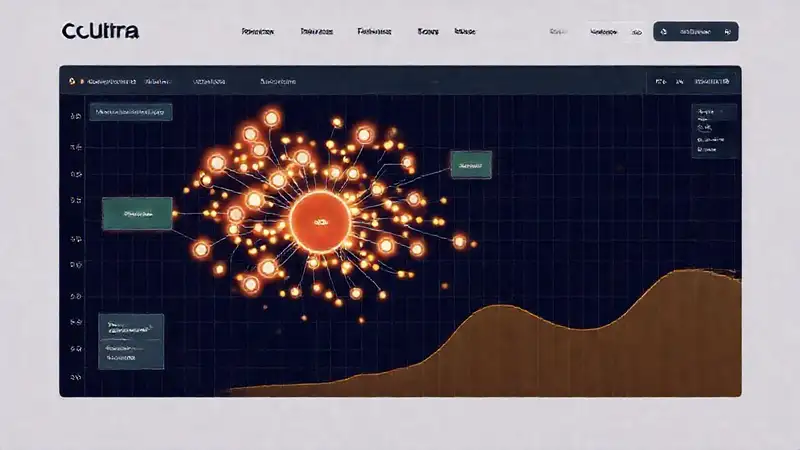
Cultura, a vibrant online marketplace connecting artists with collectors, thrives on providing a seamless and engaging experience for both parties. A visually rich platform showcasing unique artwork requires careful attention to user behavior to ensure visitors can easily discover and purchase pieces they love. Simply relying on anecdotal feedback or aesthetic design isn't enough; a data-driven approach is vital for maximizing conversion rates and user satisfaction. That's where the power of heatmaps comes into play.
Heatmaps offer a window into how users actually interact with the Cultura website – revealing their navigational patterns, points of friction, and areas of high engagement. They move beyond surface-level aesthetics and delve into the practical usability of the site. By understanding these user behaviors, Cultura can make informed decisions about design adjustments, content placement, and overall website functionality, ultimately driving business growth and fostering a stronger artist community.
## Understanding the Basics of Heatmaps
At their core, heatmaps are visual representations of user interaction on a webpage. They use a color-coded gradient to illustrate where users are clicking, moving their mouse, and scrolling. Areas with higher engagement are typically represented by warmer colors (red, orange, yellow), while less interacted-with areas are displayed in cooler colors (blue, green). This simple concept allows teams to quickly identify patterns and areas requiring attention. The visual nature of heatmaps makes them incredibly accessible, even to those without extensive data analysis expertise.
Several different types of heatmaps exist, each offering unique insights. Click heatmaps show where users are clicking most frequently. Scroll heatmaps demonstrate how far down a page users are scrolling. Movement heatmaps track mouse movements, indicating areas of interest and potential confusion. Understanding these distinctions allows Cultura to select the right heatmap type for their specific analytical goals and gain a more nuanced understanding of user behavior. Choosing the right heatmap for the question you’re asking is crucial.
Importantly, heatmaps shouldn’t be interpreted in isolation. They are most effective when combined with other analytics data, such as bounce rates, conversion rates, and demographic information. Looking at heatmaps alongside these other metrics provides a more holistic view of user behavior and helps Cultura paint a fuller picture of the user experience. Utilizing various tools in conjunction provides a more complete analysis.
## Identifying Areas of Friction with Click Heatmaps
Cultura's click heatmaps are invaluable for pinpointing areas of frustration and confusion. A large concentration of clicks in unexpected locations, for example, might indicate that users are struggling to find a desired feature or piece of information. Perhaps users are repeatedly clicking on non-clickable elements, suggesting a misalignment between visual design and functionality. This highlights a clear opportunity for optimization.
For example, if the "Contact Us" button consistently receives a disproportionate number of clicks in an unexpected location, it signals that the button's placement is not intuitive. Relocating the button to a more prominent and logical position, such as the header or footer, could significantly improve the user experience and reduce frustration. Analyzing these ‘error clicks’ gives invaluable insight into where the user's natural flow is being disrupted. Identifying these areas and implementing changes can positively impact the usability of the website.
Furthermore, click heatmaps can reveal whether calls to action (CTAs) are performing as intended. If a CTA button receives few clicks, despite being strategically placed, it may require redesigning or refining the copy to increase its appeal and clarity. A simple A/B test comparing different CTA designs, informed by heatmap data, can quickly identify the most effective approach, increasing conversion rates and boosting artist sales.
## Optimizing Content Placement with Scroll Heatmaps
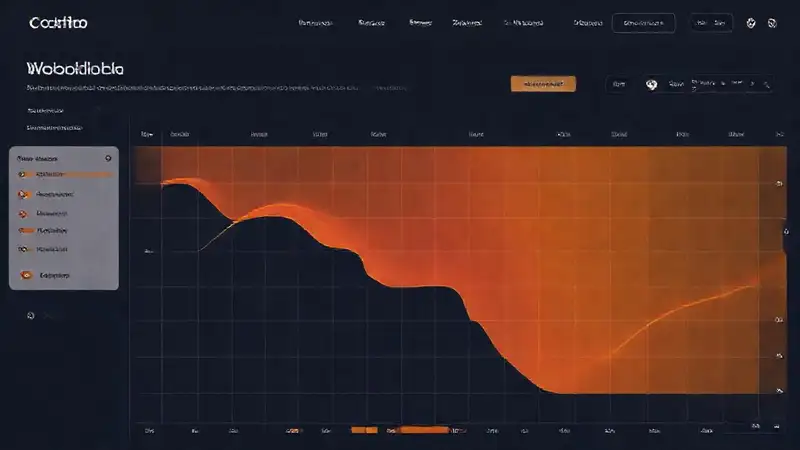
Scroll heatmaps on Cultura’s website help illustrate how far down users are scrolling on each page. Content that falls below the "fold" (the portion of the page visible without scrolling) often receives less attention, even if it's valuable. If key information or calls to action are consistently disappearing below the fold, scroll heatmaps highlight a need for content reorganization.
If the heatmap shows users consistently stopping scrolling well before reaching the bottom of an artist's profile page, Cultura might consider moving essential information, such as pricing details or shipping policies, higher up the page. Highlighting the most important information early on can improve engagement and increase the likelihood of a purchase. This can be achieved through strategic placement of key information, ensuring users have immediate access to what they need. Optimizing for above-the-fold content will improve conversion rates.
Scroll heatmaps also reveal whether specific content sections are particularly engaging. If a section detailing an artist's inspiration or creative process receives high scroll depth, it suggests that users are genuinely interested in that information. Cultura can then leverage this insight to create more content that aligns with user interests, further enriching the platform's value and driving engagement.
## Personalization and A/B Testing Driven by Heatmap Data
The data gleaned from heatmaps on Cultura can fuel more personalized user experiences and inform A/B testing strategies. By segmenting heatmap data based on user demographics (e.g., new vs. returning visitors, art collectors vs. artists), Cultura can identify specific behavioral patterns within each group. This allows for targeted optimizations that cater to the unique needs and preferences of each segment, enhancing the overall relevance of the experience.
For example, heatmaps might reveal that new visitors are struggling to navigate the artwork categories, while experienced collectors are quickly finding what they need. Based on this insight, Cultura could implement a more guided onboarding process for new users, while streamlining the category navigation for returning visitors. The ability to tailor experiences is a powerful tool. This level of personalization elevates the user experience from generic to highly targeted, increasing satisfaction.
Furthermore, heatmap data provides a strong foundation for A/B testing. Instead of relying on assumptions, Cultura can use heatmap insights to formulate hypotheses about what design or content changes will have the greatest impact on user behavior. Testing different button placements, headline variations, or even entire page layouts, informed by heatmap data, allows for data-driven optimization and maximizes the return on investment.
## Conclusion
Heatmaps have become an indispensable tool for Cultura, providing invaluable insights into user behavior and empowering the team to make data-driven decisions that optimize the website's user experience. By visualizing user interactions and identifying areas of friction, Cultura can continuously refine the platform, ensuring it remains intuitive, engaging, and effective for both artists and collectors. The increased efficiency of navigation and information retrieval directly translates into a better experience for all users.
Ultimately, leveraging heatmap data isn’t just about improving aesthetics or increasing clicks; it’s about fostering a thriving online marketplace that connects artists with collectors in a meaningful and fulfilling way. By focusing on the user and utilizing tools like heatmaps, Cultura demonstrates a commitment to providing a superior user experience, solidifying its position as a leading platform in the art world. Continuous monitoring and adaptation based on heatmap insights are key to Cultura’s ongoing success.
Deja una respuesta